

Chinese Simplified vs Traditional in Photos: How to Tell, and How to Translate Each to English
If you have ever photographed a Chinese menu, product label or street sign and wondered why the translation came back slightly wrong, the answer may be simpler than you think: you might be looking at Traditional Chinese while your translator is expecting Simplified Chinese — or the other way round. Chinese is written in two scripts, Simplified and Traditional, and knowing which one is in your photo is the fastest way to get a clean translation. This guide explains the difference between simplified vs traditional Chinese, how to tell them apart in a photo, and how to translate each one to English with an image translator.
Try it now: upload your photo to our free Chinese to English image translator — Chinese is already selected as the source language, so you can translate a Chinese photo to English in seconds, with no account needed.
Simplified vs Traditional Chinese at a Glance
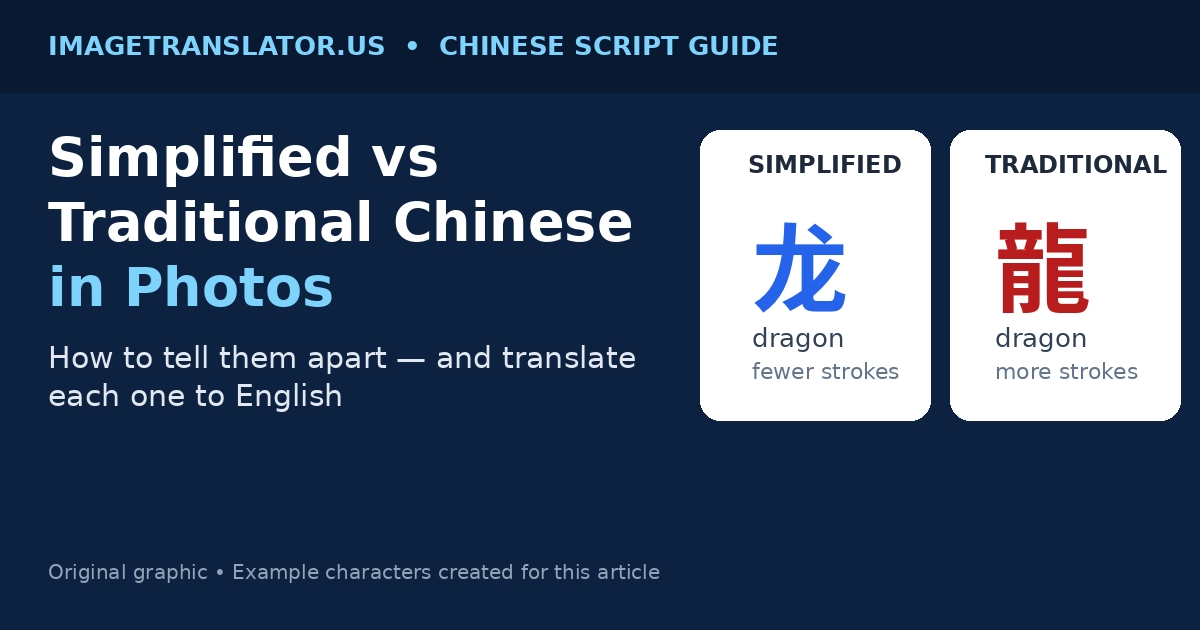
Simplified and Traditional Chinese are two ways of writing the same language. They share the same grammar and most of the same vocabulary, but many characters are written differently. Simplified characters use fewer strokes; Traditional characters keep the older, more complex forms.
| Simplified Chinese | Traditional Chinese | |
|---|---|---|
| Where it is used | Mainland China and Singapore | Taiwan, Hong Kong and Macau |
| Characters | Fewer strokes, simpler shapes | More strokes, older forms kept |
| When it appeared | Standardised in mainland China in the 1950s–60s | The older standard, still in everyday use |
| Typical in photos | Taobao and 1688 listings, mainland menus, product manuals | Taiwan and Hong Kong menus, shop signs, older books |
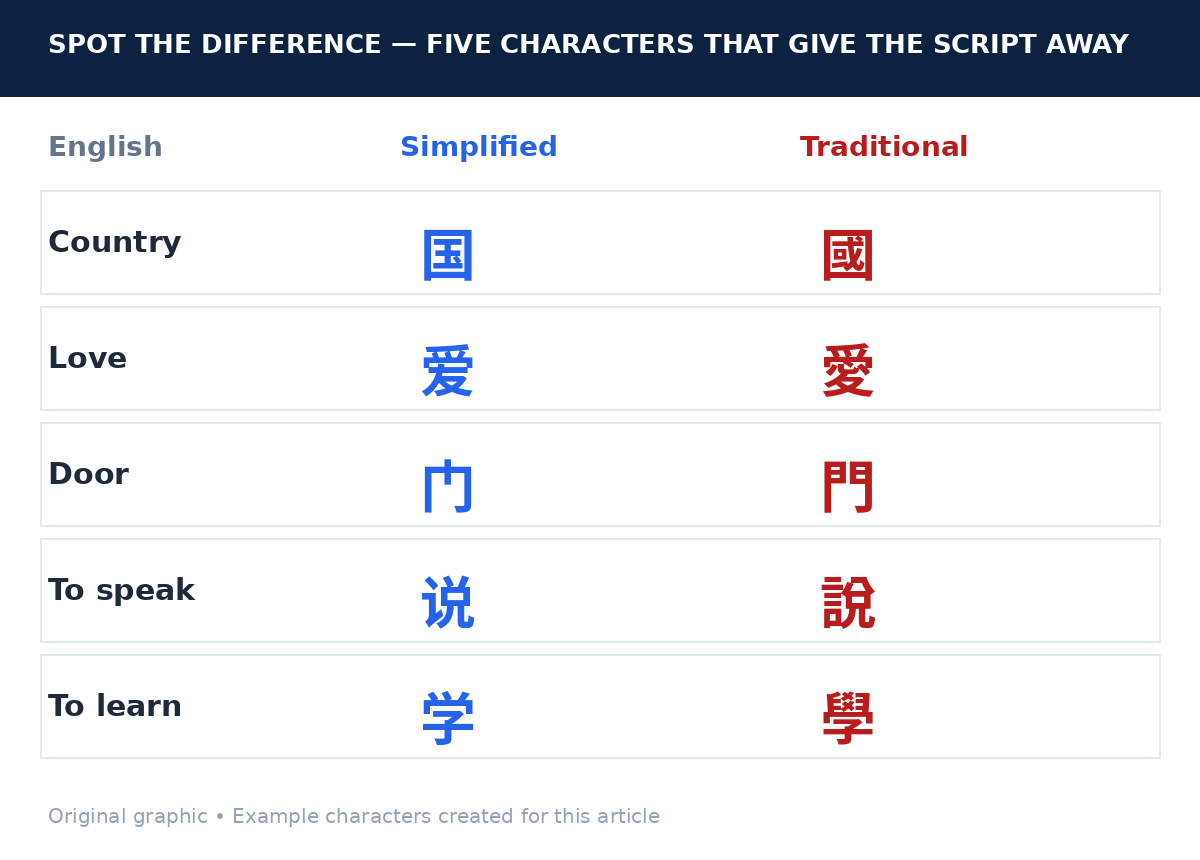
Here is the same idea written both ways. These are everyday words, written by us for this article:
| English | Simplified | Traditional |
|---|---|---|
| Dragon | 龙 | 龍 |
| Country | 国 | 國 |
| Love | 爱 | 愛 |
| Language / speech | 语 | 語 |
| Door / gate | 门 | 門 |
| To learn | 学 | 學 |
| To see | 见 | 見 |
| To speak / to say | 说 | 說 |
Notice the pattern: Traditional characters are usually the busier, more detailed version. Simplified characters are the same character with strokes removed. A few characters are identical in both scripts — for example, 人 (person), 山 (mountain) and 水 (water) look the same either way — so a short sign may not tell you which script it is. A longer passage almost always will.
How to Tell Simplified From Traditional Chinese in a Photo
You do not need to read Chinese to work out which script you are looking at. These four clues are enough in most cases.
1. Look for the tell-tale characters
A handful of very common characters change a lot between the two scripts. If you can spot even one of them, you have your answer:
- 国 vs 國 (country): the Simplified version is a compact box with a small mark inside; the Traditional version is taller, with a more complex inner shape. This character appears on countless signs, forms and labels.
- 爱 vs 愛 (love): the Traditional form contains the “heart” component (心) in the middle; the Simplified form drops it. If you can see a heart shape inside the character, it is Traditional.
- 门 vs 門 (door): Simplified is a simple frame; Traditional has an extra inner stroke pattern. Shop and station signs use this word constantly.
- 说 vs 說 (to speak): the left-hand part of the Simplified character is short and plain; the Traditional version has a taller, busier left side.
- 见 vs 見 (to see): the Simplified character is visibly shorter, with fewer strokes on top.
2. Check where the photo was taken
Context is a strong clue. A photo taken in mainland China or Singapore, or a screenshot from Taobao, 1688, WeChat or a mainland shopping app, is almost certainly Simplified Chinese. A photo from Taiwan or Hong Kong — a Taipei street sign, a Hong Kong restaurant menu, a Macau shop front — is almost certainly Traditional Chinese. Older books, calligraphy and formal documents also tend to use Traditional characters wherever they were printed.
3. Judge the overall “busyness”
Step back and look at the whole block of text. Traditional Chinese text looks denser: the characters have more strokes, more enclosed parts and more fine detail. Simplified text looks lighter and more open. This is a rough test, not a proof — a short sign in either script can look similar — but across a whole menu or label it is surprisingly reliable.
4. Count the strokes on one character
Pick the biggest, clearest character in the photo and count its strokes roughly. If a character that means something common has very few strokes — say, five or six — it is probably Simplified. The same character in Traditional often has ten or more. You do not need an exact count; the visual difference between a five-stroke character and a twelve-stroke one is obvious even to a non-reader.
Why the Script Matters for Photo Translation
An image translator works in two stages: OCR (optical character recognition) reads the characters in the photo, and machine translation turns them into English. Most mistakes happen in the first stage, and the script is one of the main reasons.
Most Chinese OCR models are trained mainly on Simplified Chinese, because it is the more widely used script. Our own Chinese to English image translator is tuned for Simplified Chinese, and many Traditional characters are still recognised — but you should expect more errors on text from Taiwan or Hong Kong, especially on small, dense characters. The same applies to other tools: Google Lens and similar apps are also strongest on Simplified.
Three specific problems come up with Traditional Chinese photos:
- Characters misread as their Simplified lookalikes. Some Traditional and Simplified characters differ by a single stroke. A blurry photo can make the OCR engine pick the wrong one, and the translation then follows the wrong character.
- Small text becomes unreadable. Traditional characters pack more strokes into the same space, so they need a larger, sharper photo. A Traditional menu photographed from across the table is much harder to read than a Simplified one at the same distance.
- Mixed scripts confuse the tool. Some texts mix the two — a Hong Kong shop sign may use Traditional characters alongside Simplified ones, or a product may carry both. When the tool cannot settle on one script, accuracy drops on both.
The fix is mostly photographic: get closer, use better light, and crop to one block of text at a time. Our guide to why image translations come out wrong covers the nine most common OCR mistakes and how to fix each one, and most of them matter twice as much with dense Traditional characters.
How to Translate Simplified Chinese From a Photo
Simplified Chinese is the easier of the two scripts to translate from a photo, because most tools are optimised for it. Follow these steps:
- Take a clear, straight-on photo. Fill the frame with the text, keep the phone parallel to the surface, and avoid glare on glossy packaging or screens.
- Crop to one block of text. A whole menu board in one photo gives the translator small, crowded characters. Photograph each section separately for larger, clearer text.
- Upload it to the Chinese to English image translator. Chinese is already selected as the source language and English as the target, so you can translate immediately.
- Check the detected Chinese before trusting the English. If a character was misread, the English will be wrong too. Compare the detected text with the photo, and re-crop or retake the shot if a word looks off.
- Verify numbers, names and prices yourself. Machine translation is good at meaning but can garble digits, model numbers and proper names. Check those against the original photo.
For a full step-by-step walkthrough, see our guide to translating Chinese text in images to English.
How to Translate Traditional Chinese From a Photo
Traditional Chinese needs a little more care, but the process is the same — with three extra habits:
- Photograph closer than you think you need to. Traditional characters carry more strokes, so they need to be bigger in the frame. If the text is small, move in rather than zooming, which only magnifies blur.
- Translate one section at a time. A full page of dense Traditional text is the hardest case for OCR. Crop to a single paragraph, menu section or label panel, translate it, then move to the next.
- Double-check the result against the context. If the translation says something that does not fit the situation — a restaurant dish that reads like a hardware part, for instance — a character was probably misread. Re-translate that line on its own, or look up the single suspicious word.
It also helps to know that some tools let you pick the script explicitly. If yours offers a “Traditional Chinese” source-language option, use it for photos from Taiwan and Hong Kong; if it only offers “Chinese”, assume it means Simplified and give it the clearest photo you can. Handwritten Traditional text is the hardest case of all — neat printed text usually works, but flowing handwriting often needs a human check.
A Worked Example: The Same Sentence in Both Scripts
Here is a short, realistic example we wrote ourselves — the kind of line you might find on a shop sign. First in Simplified, as you would see it in mainland China:
Simplified: 请注意,本店今日休息,明天正常营业。
English: “Please note: this shop is closed today, and will open as normal tomorrow.”
Now the same sentence in Traditional, as you would see it in Taiwan or Hong Kong:
Traditional: 請注意,本店今日休息,明天正常營業。
English: “Please note: this shop is closed today, and will open as normal tomorrow.”
Compare them character by character and you can see the pattern from the table above: 请 becomes 請, 营 becomes 營, 业 becomes 業. The meaning is identical; only the shapes change. If you photograph either version and translate it, you should get the same English — but the Traditional version needs a sharper photo to read reliably, because those extra strokes are exactly what blur destroys first.
Common Mistakes When Translating Chinese Photos
- Assuming every Chinese photo is Simplified. If your photo is from Taiwan or Hong Kong, say so to yourself before you translate, and photograph it more closely than you would a mainland sign.
- Translating the whole page at once. Wide photos make small characters. Crop to the section you actually need.
- Trusting the translation of a medicine label or warning sign without checking. Dosage instructions, allergy warnings and safety notices deserve a second look — a misread character there matters more than on a menu. Our guide to taking photos that translate accurately explains how to get the sharpest possible shot of small label text.
- Photographing a screen instead of using the screenshot. A photo of a phone screen adds glare and moiré patterns. Save the original screenshot and upload that instead — the characters will be far sharper.
- Ignoring vertical text. Traditional Chinese is sometimes written top to bottom, right to left, on shop signs and book spines. If the result comes back scrambled, rotate the photo so the text reads left to right and try again.
Frequently Asked Questions
Is Simplified Chinese the same as Mandarin?
No. Mandarin is a spoken language; Simplified and Traditional are written scripts. Mandarin can be written in either script, and the same is true of Cantonese, which is usually written in Traditional characters in Hong Kong. The script tells you where the text was written, not which spoken language it represents.
Can an image translator read Traditional Chinese?
Yes, but usually less accurately than Simplified Chinese. Most OCR models are trained mainly on Simplified characters. Many Traditional characters are still recognised, especially in a clear, close-up photo — but expect more errors on dense or small Traditional text, and double-check important details.
How can I tell if text is Simplified or Traditional Chinese?
Look for a common character that changes a lot between scripts — 国 vs 國 (country), 爱 vs 愛 (love), or 门 vs 門 (door). Check where the photo was taken: mainland China and Singapore use Simplified, while Taiwan, Hong Kong and Macau use Traditional. And judge the overall density: Traditional text looks busier, with more strokes per character.
Which is more common, Simplified or Traditional Chinese?
Simplified is more common overall, because mainland China has the largest population of Chinese readers. Traditional remains the everyday standard in Taiwan, Hong Kong and Macau, and in many overseas Chinese communities. If you translate photos from Chinese shopping apps such as Taobao or 1688, you will almost always meet Simplified.
Do I need a different tool for Traditional Chinese?
Usually not. The same image translator handles both scripts — upload the photo, set Chinese as the source and English as the target, and check the result. The difference is in the photo, not the tool: Traditional text needs a closer, sharper image and a second check of the result.
Whether your photo is Simplified or Traditional, the rule is the same: a sharp, close, straight-on photo of one block of text will translate far better than a wide, blurry shot of a whole page. Identify the script, crop tight, and let the translator do the rest — then check the numbers and names before you act on the result.
