


This article is part of our complete guide to image translation for business and documents. To translate your own picture right now, use our free image translator.
Product manuals and instruction sheets help customers understand how to assemble, operate, maintain, and troubleshoot products. However, when these documents are available only in a foreign language, following the instructions can become difficult.
This is a common challenge for people purchasing imported electronics, household appliances, machinery, furniture, tools, and other products. Sometimes, the only available instructions are printed on paper, embedded in a product image, or included as screenshots in a digital document.
Fortunately, AI-powered image translation tools make it easier to translate text directly from images. Instead of typing every instruction manually, you can upload a photo or scanned page and translate the visible text into your preferred language.
In this guide, we’ll explain how to translate product manuals and instruction sheets from images, how to improve translation quality, and how ImageTranslator.us can simplify the process.
Why Translate Product Manuals and Instruction Sheets?
Product instructions often contain important information that customers need before using a product.
These documents may include:
- Assembly instructions
- Operating procedures
- Installation steps
- Maintenance guidelines
- Troubleshooting advice
- Product specifications
- Warning labels
- Safety precautions
- Diagrams with text labels
For example, an imported coffee machine might include instructions written in German, while a customer needs them in English. A power tool may have a Japanese instruction sheet, or a household appliance may come with a Chinese-language setup guide.
Translating the instructions can help users understand the intended steps without repeatedly searching for individual words.
Technical documentation also requires careful handling because translation mistakes can affect how people use a product. The International Organization for Standardization recognizes technical documentation, including assembly instructions and product manuals, as information intended to help products be used safely, efficiently, and effectively. ISO technical documentation overview.
What Types of Instruction Images Can You Translate?
An image translator can be useful for many types of product documentation.
| Document Type | Common Translation Needs |
| Electronics manuals | Setup, buttons, and operating instructions |
| Appliance instruction sheets | Installation, cleaning, and maintenance |
| Furniture assembly guides | Parts lists and assembly steps |
| Machinery manuals | Technical descriptions and operating procedures |
| Product packaging | Features, labels, and directions |
| Troubleshooting charts | Error messages and recommended actions |
| Printed warning labels | Cautions and safety notices |
| Product diagrams | Component names and explanatory text |
The most suitable images are those with readable text, sufficient contrast, and minimal distortion. Small print, unusual fonts, and unclear images can reduce translation accuracy, as Google also notes in its guidance on translating text within images. Google Translate image translation help.
How to Translate Product Manuals from Images
You can use the following workflow to translate a printed manual, photographed instruction sheet, or screenshot.
Step 1: Take a Clear Photo or Scan
Start by capturing the page you want to translate.
Place the manual on a flat surface and make sure the entire page is visible. Keep your camera parallel to the paper to avoid distortion.
For better results:
- Use bright, even lighting.
- Avoid shadows across the text.
- Keep the camera steady.
- Make sure the image is in focus.
- Avoid cutting off sentences or diagrams.
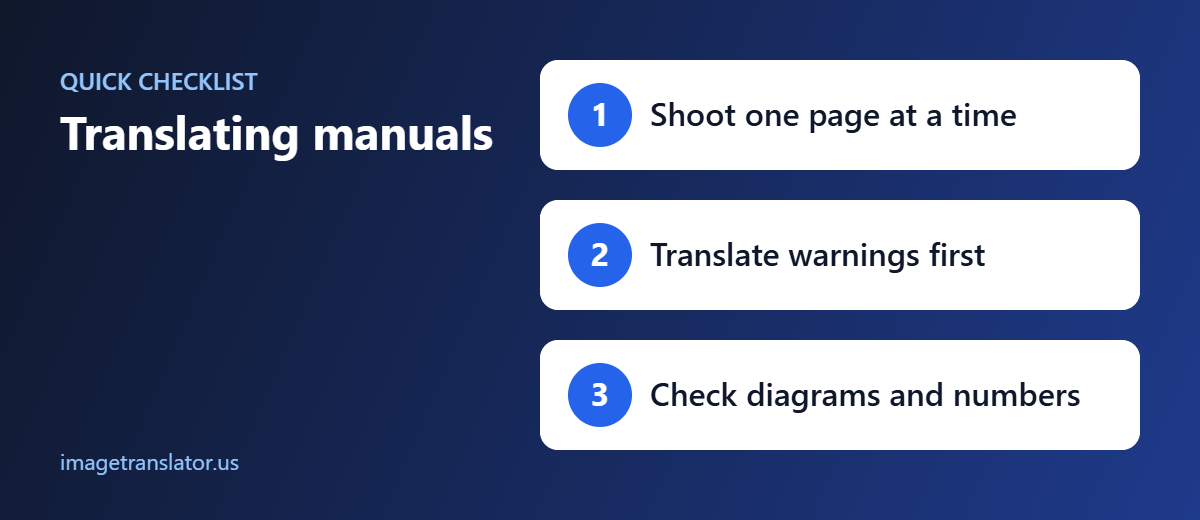
- Capture each page separately when necessary.
If you already have a digital image, check that the text is readable before uploading it.
Step 2: Open ImageTranslator.us
Visit ImageTranslator.us and prepare the image you want to translate.
An image translation tool can recognize text inside a photograph or scanned page and generate a translated version, reducing the need to retype the original content.
This is particularly useful when the manual contains several paragraphs, labeled diagrams, or short instructions distributed across the page.
Step 3: Select the Source and Target Languages
Choose the original language if you know it, followed by the language you want to read.
For example:
- German to English
- Chinese to English
- Japanese to English
- Korean to English
- French to Spanish
- Arabic to English
If you’re unsure which language the manual uses, language detection may help when supported by the tool.
For technical documents, double-check the selected languages before continuing. Similar technical terms can have different meanings across languages, and an incorrect source-language selection may produce confusing results.
Step 4: Translate the Image
Upload the image and start the translation process.
The system processes the visible text and generates the translated content. Depending on the tool and image format, you may be able to view or download a translated image.
For example, an instruction sheet might contain the German phrase:
“Vor der Reinigung den Netzstecker ziehen.”
Its English meaning is:
“Unplug the power cord before cleaning.”
The translated version can make the instruction easier to understand, but safety-related statements should always be checked against the original wording and reviewed carefully.
Step 5: Review the Translation
Once the translated image is ready, inspect the result rather than assuming every word is correct.
Pay attention to:
- Product names and model numbers
- Technical terminology
- Button labels
- Measurements and units
- Numbers and decimal points
- Symbols and warning icons
- Step numbering
- Diagram labels
Image translation combines text recognition with language translation. If the original image contains a blurry number or a partially obscured word, the resulting translation may be incorrect.
For important instructions, compare the translated text with the original image. If a sentence looks unusual, crop that section and translate it again or consult the manufacturer’s documentation.
Step 6: Translate the Remaining Pages
Product manuals often contain multiple pages, tables, diagrams, and appendices.
For longer documents, work through the pages systematically. Keep the original and translated images together and label them clearly.
For example:
- manual-original-page-01.jpg
- manual-english-page-01.jpg
- manual-original-page-02.jpg
- manual-english-page-02.jpg
This helps you match the translation to the correct page and reduces the risk of mixing up instructions.
If the manual is available as a PDF with selectable text, a document translation workflow may be more convenient than translating each page as an image. If the PDF consists of scanned pages, image translation or OCR may be necessary.
How to Translate Diagrams, Tables, and Labels
Product manuals frequently use diagrams to explain how components fit together or how a product should be operated.
These graphics can be challenging because the text may be spread across arrows, callout boxes, numbered steps, and small labels.
When translating a diagram, check the following:
Component names: Confirm that each translated label refers to the correct part.
Arrows and directions: Make sure directional indicators remain associated with the correct components.
Numbers: Verify screw sizes, measurements, quantities, and step numbers.
Tables: Check that each translated entry remains in the correct row and column.
Symbols: Do not assume that every symbol will be translated. Some symbols carry meaning independently of language and must remain visible.
For complex diagrams, translate the text and compare it with the original graphic before following the instructions.
How to Improve Image Translation Accuracy
A few simple techniques can make translated manuals easier to read.
Use High-Resolution Images
Low-resolution images can make letters and numbers difficult to distinguish. Use the clearest available photograph or scan, particularly for small technical text.
Crop Individual Sections
If a page contains dense text, translate one section at a time. Cropping can make small labels easier to recognize.
Preserve the Original Page
Keep an unmodified copy of every page. This lets you compare the translation with the original whenever a technical detail is unclear.
Verify Measurements and Units
Pay special attention to voltage, temperature, dimensions, pressure, torque, and other numerical values. A misplaced decimal point or incorrectly interpreted unit can significantly change an instruction.
Check Specialized Vocabulary
Words used in electronics, automotive repair, industrial machinery, and medical equipment may have specialized meanings. General-purpose AI translation should not be treated as a substitute for expert technical review.
Image Translation vs. Manual Translation
Traditionally, translating a product manual involves typing or copying the text into a translation tool and then reviewing the result separately.
Image translation simplifies this workflow by starting with the document image itself.
| Feature | Manual Text Translation | Image Translation |
| Requires typing text | Often | Usually not |
| Works with photographed pages | Requires text extraction first | Yes, when supported |
| Handles visible diagram labels | Requires manual extraction | Can process recognized text |
| Preserves original visual layout | Requires additional formatting | May preserve parts of the layout |
| Suitable for quick reference | Yes | Yes |
| Requires accuracy checks | Yes | Yes |
Image translation is especially convenient for short instruction sheets, packaging labels, and individual manual pages. For lengthy technical manuals, editable documents or professional translation workflows may provide better control over terminology, formatting, and revision history.
Important Safety Considerations
Do not rely solely on machine translation for safety-critical instructions.
This is particularly important for electrical equipment, industrial machinery, vehicles, chemicals, medical devices, and other products where an incorrect instruction could cause injury or damage.
Always verify critical details, including:
- Electrical ratings and wiring instructions
- Temperature and pressure limits
- Chemical handling directions
- Protective equipment requirements
- Emergency shutdown procedures
- Assembly steps involving heavy or moving parts
- Warnings and hazard statements
If a warning is unclear, consult the manufacturer’s official manual or a qualified technical translator before using the product. For regulated products, check the applicable local requirements for translated instructions and safety documentation.
Final Thoughts
Translating product manuals and instruction sheets from images can save time and make imported products easier to understand. Whether you’re working with a photographed appliance manual, a scanned assembly guide, a packaging label, or a diagram with foreign-language text, an image translator can help you access information without manually typing every sentence.
ImageTranslator.us offers a practical starting point for translating text directly from images. By uploading a clear image, selecting the target language, and reviewing the result, you can simplify the process of understanding product instructions.
For the best results, use high-quality images, translate dense pages in manageable sections, and carefully verify technical terminology, numbers, measurements, and safety warnings.
With the right workflow, image translation can make product documentation more accessible while helping you understand what the original instructions actually say.
Further Reading
- Optical character recognition (OCR): how software reads text from images.
