

This article is part of our complete guide to image translation for business and documents. To translate your own picture right now, use our free image translator.
Applying for a visa, studying abroad, or preparing immigration documents often requires you to submit certificates, diplomas, transcripts, and other official documents. If these documents are written in a language that the immigration authority does not accept, you may need to provide a translation along with the original document.
Understanding what your certificate or diploma says is the first step. A phone camera and an image translation tool can make this process much easier by allowing you to translate text directly from a photograph or scanned document.
However, there is an important distinction between translating a document for personal understanding and obtaining a certified translation for an official visa or immigration application. Requirements vary depending on the country and the specific application.
In this guide, we will explain how to translate a certificate or diploma using an image translator, what information should be included in a translation, and what you should check before submitting translated documents for immigration purposes.
Why Translate a Certificate or Diploma?
Certificates and diplomas can contain important information that immigration authorities, universities, employers, or other organizations need to understand.
Depending on your situation, you may need to translate:
- Educational certificates
- University diplomas
- School certificates
- Academic transcripts
- Training certificates
- Professional certificates
- Degree certificates
- Marriage certificates
- Birth certificates
- Employment documents
- Other supporting documents
If the original document is written in a foreign language, simply submitting the original may not be sufficient for some applications.
For example, USCIS states that documents containing a foreign language submitted in support of a benefit request must be accompanied by a full English translation, with certification that the translation is complete and accurate and that the translator is competent to translate it.
First, Check the Immigration Authority’s Requirements
Before translating an official document, check the requirements of the organization receiving it.
This is one of the most important steps because translation requirements are not identical in every country.
For example, UK immigration guidance says documents that are not in English or Welsh may need to be accompanied by a full translation that can be independently verified. UK guidance also specifies information that should appear on the translation, including confirmation of accuracy, the translation date, the translator’s name and signature, and contact details.
For U.S. immigration applications, USCIS requires a full English translation and translator certification of completeness, accuracy, and competence.
Therefore, do not assume that an ordinary machine-generated translation will automatically satisfy an immigration authority.
How to Translate a Certificate Using Your Phone
If you have a physical certificate or diploma, your smartphone can help you understand its contents before you arrange an official translation.
Step 1: Photograph the Certificate
Place your certificate on a flat surface and open your phone camera.
Take a clear photograph of the entire document. Make sure all important information is visible, including:
- Your name
- Certificate title
- Institution name
- Dates
- Degree or qualification
- Registration numbers
- Signatures
- Stamps
- Seals
- Other relevant text
Try to photograph the document straight from above rather than at a sharp angle.
Step 2: Make Sure the Image Is Clear
Image quality is extremely important when translating an official document.
Make sure the photograph is:
- Sharp and focused
- Well illuminated
- Not blurry
- Free from strong reflections
- Not cropped around the edges
- Easy to read
If the certificate contains very small text, take a closer photograph or scan the document at a higher resolution.
A blurry image can cause OCR software to recognize letters or numbers incorrectly.
This is particularly important for names, dates, identification numbers, grades, and other details.
Step 3: Upload the Document to an Image Translator
After taking a photograph, you can upload the image to an image translation tool.
With ImageTranslator.us, you can upload an image containing foreign-language text and translate the text into your preferred language.
Translate Your Certificate with ImageTranslator.us
This can be useful when you want to understand a certificate before ordering a professional or certified translation.
For example, if you have a diploma written in Spanish and need to understand it in English, you can upload a clear image and translate the visible text.
Step 4: Select the Original and Target Languages
Choose the language of the certificate as the source language and select the language you want to read.
For example:
Source language: Spanish
Target language: English
Or:
Source language: Arabic
Target language: English
Selecting the correct languages can help produce a more appropriate translation.
If you do not know what language the certificate is written in, some translation tools may provide language detection.
Step 5: Review Names and Numbers Carefully
After receiving the translated result, carefully compare it with the original certificate.
Pay particular attention to:
- Full names
- Dates of birth
- Graduation dates
- Institution names
- Degree names
- Certificate numbers
- Registration numbers
- Grades
- Addresses
- Passport-related information
Names and numbers can sometimes be difficult for OCR systems to recognize, especially when the original document uses unusual fonts or poor-quality printing.
Never assume that every character has been recognized correctly.
Can an Image Translator Be Used as an Official Immigration Translation?
This is an important question.
An image translator can be extremely useful for understanding a foreign certificate, extracting its text, and preparing information for translation. However, you should not automatically assume that an online machine translation meets the certification requirements of an immigration authority.
Official requirements differ between countries and applications.
For example, USCIS requires the translator to certify that the translation is complete and accurate and that the translator is competent to translate from the foreign language into English.
Similarly, UK immigration guidance specifies certification information for translations accompanying certain documents.
Therefore, if your visa application specifically requires a certified translation, follow the receiving authority’s instructions and obtain the required certification from an appropriate translator or translation provider.
What Is a Certified Translation?
A certified translation generally includes more than translated text.
Depending on the authority and application, the translation may need a certification statement confirming that the translation is accurate and complete and that the translator is competent to perform the translation.
For U.S. immigration purposes, the certification requirement is specifically described by USCIS.
Some immigration authorities may also require the translator’s name, signature, date, contact details, or professional credentials.
The exact requirements should always be checked with the immigration authority handling your application.
Keep the Original Certificate
When preparing a translated certificate, do not replace the original document with the translation.
In many situations, the original-language document and its translation are submitted together.
For example, UK immigration rules specify that where relevant documents are not in English or Welsh, applicants must provide the original-language version together with a full translation.
U.S. Department of State guidance similarly states that certain civil documents not written in English or the official language applicable to the application must be accompanied by certified translations.
Always follow the document instructions for your particular application.
Translate Both Sides When Necessary
Some certificates contain information on both sides.
The front may contain the qualification and recipient’s name, while the back may contain verification information, stamps, seals, signatures, or additional details.
If the back contains relevant text, make sure it is also captured and translated.
For visa documentation, missing information can create unnecessary problems, so review the entire document before submitting it.
Use High-Quality Scans for Immigration Documents
A high-quality scan or photograph is preferable to a blurry image.
Government guidance for U.S. visa documents emphasizes that scans should be clear, readable, complete, and properly oriented. Documents with relevant information on both sides should include both sides.
When preparing your certificate for translation, check the final file before uploading it to your visa portal.
Make sure:
- No edges are cut off
- Text is readable
- Stamps are visible
- Signatures are visible
- Pages are in the correct order
- The original document is included where required
- The translation is attached according to the application instructions
Common Problems When Translating Certificates
Several issues can make certificate translation difficult.
Low-Quality Images
A blurry photograph can cause incorrect characters, names, or numbers.
Decorative Fonts
Some certificates use elaborate fonts that are difficult for OCR systems to recognize.
Stamps and Seals
Official stamps may overlap text and make individual words harder to identify.
Handwritten Information
Handwritten names, dates, or signatures can be difficult for automated systems to interpret accurately.
Multiple Languages
Some diplomas contain two or more languages. Make sure you identify which sections require translation.
Abbreviations
Academic institutions and qualifications often use abbreviations that may not have a direct equivalent in another language.
Use Image Translation as a First Step
One of the best ways to use an image translation tool for immigration documents is as a first step.
You can use it to understand the certificate and identify its contents before arranging an official translation.
For example, suppose you have a university diploma written in Arabic. You can photograph the diploma, upload it to ImageTranslator.us, and translate it into English to understand the information.
You can then use the original document and the translated information when working with a qualified translator or translation provider if your visa application requires a certified translation.
This can make the process easier because you already understand what information appears on the document.
Protect Your Personal Information
Certificates and diplomas can contain sensitive personal information.
Before uploading an official document to any online service, understand the service’s privacy practices and consider what information appears in the image.
Avoid sharing translated documents publicly, especially if they contain passport numbers, identification numbers, addresses, dates of birth, or other personal information.
Only upload documents to services you trust and use secure connections when handling important immigration paperwork.
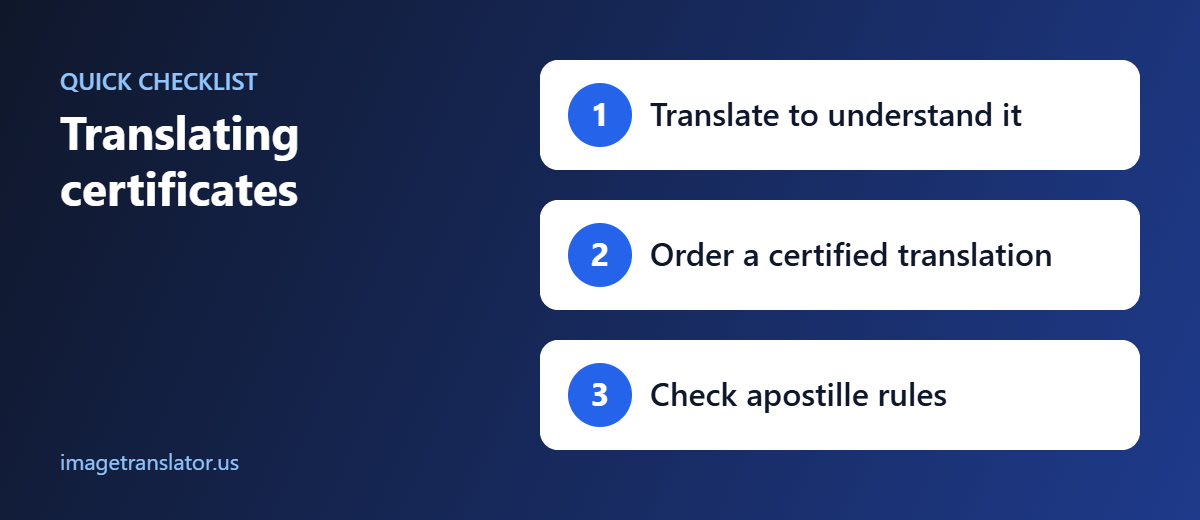
Final Checklist Before Submitting a Translated Certificate
Before submitting your documents, check the following:
- Read the immigration authority’s translation requirements.
- Keep the original-language certificate.
- Create a clear scan or photograph.
- Make sure every important section is visible.
- Translate all required text.
- Check names, dates, numbers, and institution names carefully.
- Determine whether a certified translation is required.
- Obtain the appropriate certification if required.
- Attach the original and translation according to the application’s instructions.
- Review the final documents before submission.
Final Thoughts
Translating a certificate or diploma can be an important part of preparing for international study, work, travel, or immigration. Your phone camera can make the first stage of this process much easier by allowing you to capture the document and translate its text without manually typing every word.
ImageTranslator.us can help you quickly understand text contained in certificates, diplomas, and other documents by translating text directly from images.
However, if your visa or immigration application requires a certified translation, remember that simply using an online image translator may not satisfy the official requirement. Always check the instructions of the specific immigration authority and obtain the required certified translation when necessary.
With a clear image, careful review, and the correct official translation process, you can make your document preparation more organized and easier to manage.
Further Reading
- Apostille Convention: how certificates are authenticated for use in other countries.
- Machine translation: how automatic translation works and where it falls short.
