

This article is part of our step-by-step guide to translating text in an image online. To translate your own picture right now, use our free image translator.
Translating text from an image used to require several separate steps. First, you had to extract the text using OCR, copy the results into a translation service, review the translation, and then manually arrange the translated text if you wanted to recreate the original image.
Today, AI image translators can combine many of these steps into a single workflow.
But what exactly is the difference between an AI image translator and the traditional OCR + manual translation method? And which approach makes more sense for photos, screenshots, documents, menus, signs, and other images?
In this guide, we’ll compare both methods and explain how AI image translation works.
What Is OCR + Manual Translation?
OCR stands for Optical Character Recognition. It is technology that identifies characters and words inside an image and converts them into machine-readable text.
With the traditional method, the process usually looks like this:
Image → OCR → Copy Text → Translation Tool → Manual Formatting
For example, imagine you have a photograph of a French menu.
You would first upload the menu to an OCR tool. The OCR system extracts the French text. You then copy the extracted text into a translation service, translate it into English, and manually organize the translated content so you know which translation belongs to each dish.
This approach can work, but it involves multiple steps.
What Is an AI Image Translator?
An AI image translator combines image recognition, OCR, machine translation, and image processing into a more unified workflow.
Instead of using several separate tools, you can generally do something like:
Upload Image → AI Detects Text → Translates Text → Generates Translation
Depending on the service, the translated text may be displayed separately, overlaid on the original image, or used to create a translated version of the entire image.
This makes AI image translation particularly useful when you care about both understanding the text and preserving the visual context.
AI Image Translator vs OCR + Manual Translation
The biggest difference is the number of steps involved.
| Feature | AI Image Translator | OCR + Manual Translation |
| Text detection | Automated | Automated |
| OCR | Usually integrated | Separate tool |
| Translation | Integrated | Separate step |
| Copy and paste | Usually unnecessary | Usually required |
| Image layout handling | Often integrated | Usually manual |
| Workflow | One combined process | Several separate steps |
| Best for | Fast image translation | Detailed text extraction and control |
| Technical knowledge | Usually minimal | May require several tools |
Neither approach is universally appropriate. The better choice depends on what you need to accomplish.
How AI Image Translation Works
AI image translation typically involves several technologies working together.
Image Analysis
The system first analyzes the uploaded image to locate areas that appear to contain text.
It may identify headlines, paragraphs, labels, captions, menus, signs, or other text regions.
OCR
The system recognizes the characters and converts the visual text into digital text.
Modern OCR can recognize many writing systems, including Latin, Cyrillic, Arabic, Devanagari, Chinese, Japanese, and Korean scripts.
Language Detection
Some tools can identify the language automatically. Others allow you to specify the source language manually.
Choosing the correct language can improve recognition, particularly when an image contains several scripts that look visually different.
Machine Translation
The extracted text is then translated into the target language.
For example:
Spanish → English
or
Japanese → English
The translation engine processes the recognized text and generates the target-language version.
Image Reconstruction
Some AI image translators go one step further.
Instead of giving you only the translated text, they place the translated content back into the image.
The objective is to maintain important aspects of the original design, including text positioning and visual structure.
This is one of the biggest differences between a dedicated image translator and a basic OCR workflow.
Advantages of AI Image Translators
Faster Workflow
An AI image translator can combine multiple tasks into one interface.
You don’t necessarily need to:
- Open an OCR tool.
- Extract the text.
- Copy it.
- Open a translation service.
- Paste the text.
- Translate it.
- Recreate the image.
Instead, the entire workflow can be handled through one image-translation interface.
Less Manual Copying
Manual copy-and-paste becomes especially tedious when an image contains large amounts of text.
AI image translation reduces the amount of repetitive work required.
Better Visual Context
When translated text is displayed in the original image, you can more easily understand where each piece of translated text belongs.
This can be useful for:
- Restaurant menus
- Posters
- Product packaging
- Advertisements
- Infographics
- Maps
- Screenshots
- Brochures
Easier for Non-Technical Users
You don’t need to understand OCR software, text extraction, or document processing.
In most cases, the process is simply:
Upload → Select languages → Translate
Advantages of OCR + Manual Translation
Despite the convenience of AI image translators, traditional OCR plus manual translation still has some useful advantages.
More Control Over Extracted Text
If you only need the text rather than a translated image, a dedicated OCR tool can give you more direct control over the extracted content.
You can edit mistakes before sending the text to a translator.
Easier Manual Correction
OCR isn’t perfect.
If the system incorrectly recognizes a character, you can manually correct the extracted text before translating it.
This can be particularly useful when working with:
- Poor-quality scans
- Historical documents
- Unusual fonts
- Handwriting
- Complex layouts
Useful for Structured Data
If your goal is to collect text into a spreadsheet, database, document, or content management system, OCR may be more appropriate than generating a translated image.
For example, a company processing thousands of product labels may want the extracted text as structured data rather than as redesigned images.
Which Method Is Faster?
For simple image translation, an integrated AI image translator generally requires fewer manual steps.
Suppose you have 20 screenshots that need to be translated.
With OCR + manual translation, you may need to process each screenshot through multiple tools.
With an AI image translator, you can upload the images and handle the translation within a single workflow, depending on the service’s available features and limits.
The larger the number of images, the more noticeable the workflow difference can become.
Which Method Is More Accurate?
Accuracy isn’t determined solely by whether you use AI image translation or traditional OCR.
Several factors affect the result:
- Image resolution
- Lighting
- Text size
- Font style
- Handwriting
- Image orientation
- Background complexity
- OCR quality
- Translation engine
- Language pair
A clear image containing standard printed text is generally easier to process than a blurry photograph containing decorative lettering.
It’s also important to remember that OCR accuracy and translation accuracy are separate issues.
An OCR system might correctly identify a word but the translation could still require correction. Conversely, an excellent translation engine cannot translate a word correctly if OCR extracted the original word incorrectly.
What About Layout Preservation?
Layout is where AI image translation can provide a major convenience.
Consider a promotional graphic containing:
50% OFF
Summer Collection
Shop Now
A basic OCR workflow extracts these words. After translation, you would need to decide where each translated phrase should go.
An image translator can instead attempt to maintain the original relationships between the text elements.
This doesn’t mean every translated image will perfectly reproduce the original. Different languages can require different amounts of space, and some scripts naturally take more or less room than others.
However, automated layout handling can significantly reduce manual editing.
When Should You Use an AI Image Translator?
An AI image translator is a good fit when your primary goal is to quickly understand or translate the content of an image.
It can be useful for:
- Travel photographs
- Restaurant menus
- Street signs
- Product labels
- Social media images
- Website screenshots
- Posters
- Advertisements
- Brochures
- General documents
It’s particularly convenient when you want the translated image, rather than just a block of extracted text.
When Should You Use OCR + Manual Translation?
The traditional approach can make more sense when you need detailed control over the extracted content.
Consider OCR + manual translation when:
- You need editable text.
- You need to correct OCR errors before translation.
- You’re processing structured data.
- You need to integrate extracted text into another system.
- You want to compare the original and translated text closely.
- You need specialized human translation.
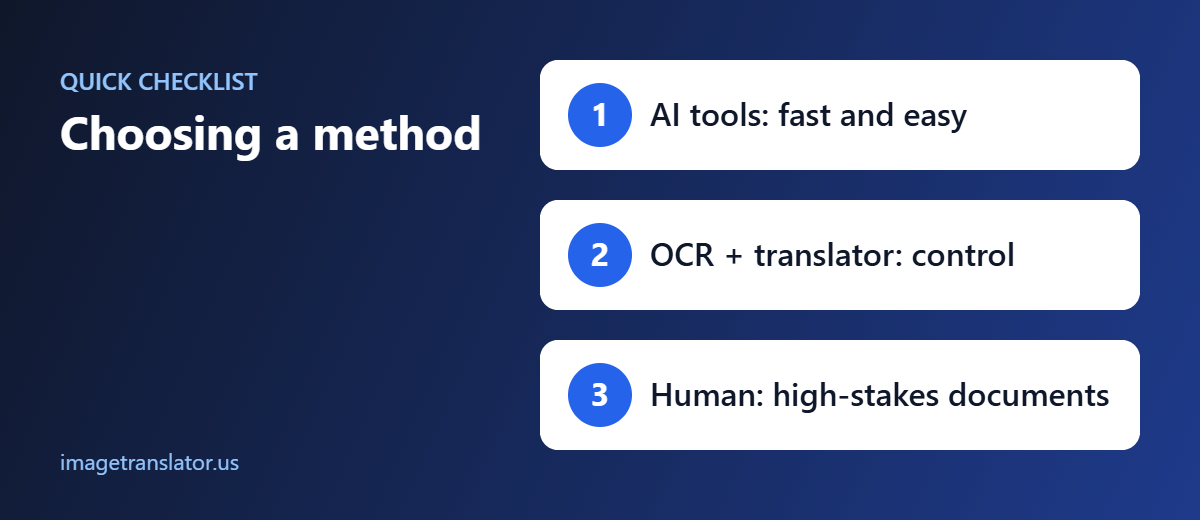
For professional or high-stakes documents, human review may be appropriate regardless of which automated workflow you use initially.
Example: Translating a Restaurant Menu
Imagine you photograph a menu written in Italian.
OCR + Manual Translation
You would:
- Upload the photograph to an OCR tool.
- Extract the Italian text.
- Copy the text.
- Paste it into a translation service.
- Translate the menu.
- Match each translation to the original dish.
- Manually format the result.
AI Image Translator
You could instead:
- Upload the menu.
- Select Italian as the source language.
- Select English as the target language.
- Translate the image.
- Review the result.
The second workflow reduces the amount of manual work required.
AI Image Translator vs OCR: Which Should You Choose?
The answer depends on your goal.
Choose an AI image translator when you want a convenient, combined workflow for translating the contents of an image.
Choose OCR + manual translation when you need greater control over text extraction, editing, formatting, or downstream data processing.
For everyday users, the integrated approach can be much simpler. For developers, researchers, businesses, and professional translators, separating OCR and translation can provide greater flexibility.
Translate Images Online With ImageTranslator.us
If your goal is to translate text directly from an image without manually moving text between several different tools, ImageTranslator.us provides a dedicated image-translation workflow.
You can upload an image, select the source and target languages, and process the text through the translation interface.
This makes it useful for translating photographs, screenshots, menus, signs, product images, and other visual content.
Final Thoughts
The difference between AI image translation and OCR + manual translation is primarily about workflow, automation, and control.
OCR + manual translation gives you separate control over text extraction and translation, but it requires more manual work.
AI image translation combines these steps into a more convenient process and can also help maintain the visual context of the original image.
For quick, everyday image translation, an integrated AI workflow can save time. When you need highly controlled text extraction or structured data, a traditional OCR-based workflow may still be useful.
Whichever approach you choose, start with the highest-quality image possible and review important translations carefully. For legal, medical, financial, immigration, or other high-stakes content, automated translation should be checked by a qualified human professional.
Further Reading
- Machine translation: how automatic translation works and where it falls short.
- Optical character recognition (OCR): how software reads text from images.
