

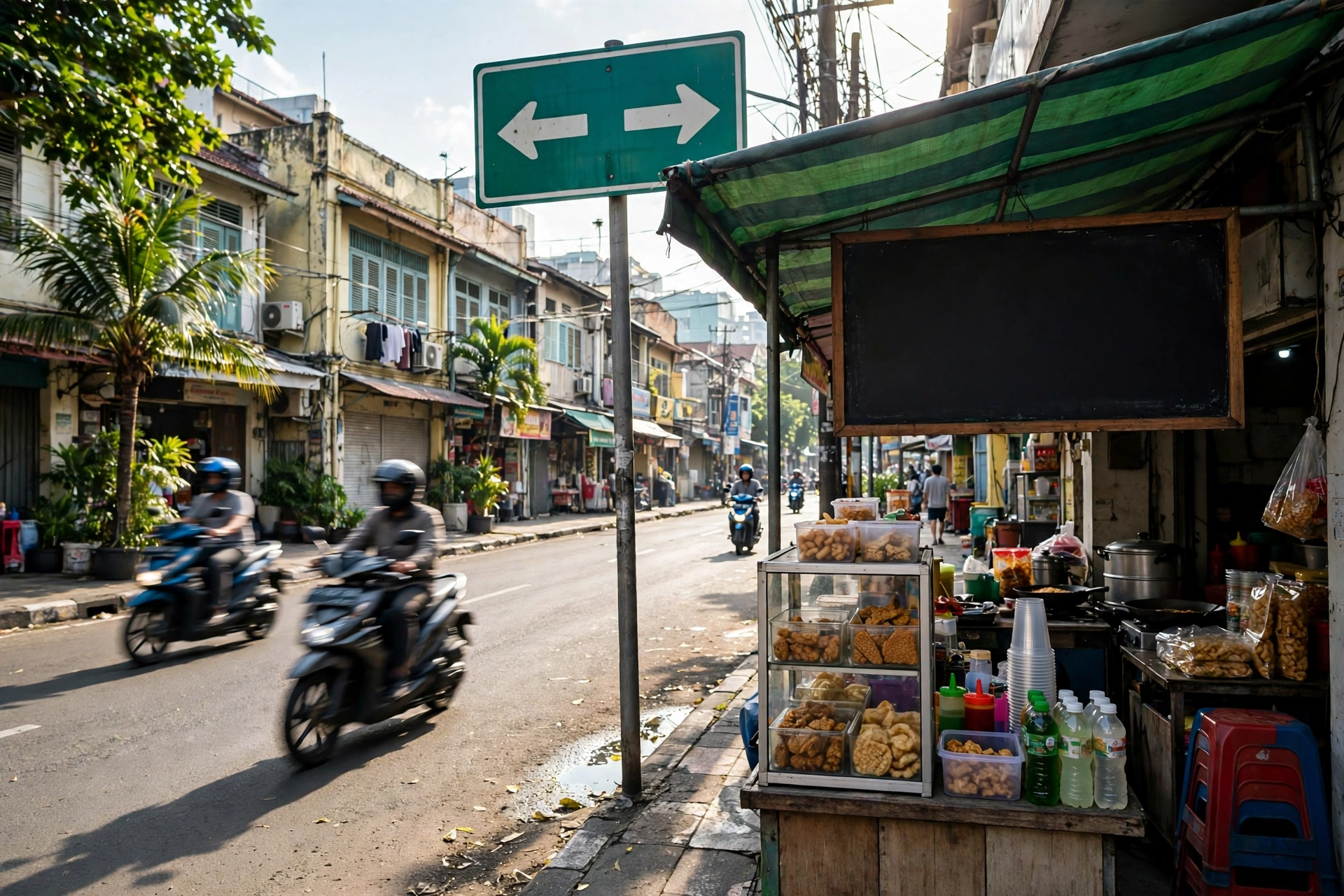
How to Translate Indonesian Text in Images to English: Street Signs, Menus and Social Media Explained
You are in Jakarta, looking at a sign that says “DILARANG PARKIR”, or you are holding a menu in Yogyakarta and trying to work out whether “Nasi Goreng” comes with chicken or prawns. You point your phone at it, and the English that comes back is close — but not quite right. A dish name turns into something you would never order, a street sign reads as nonsense, or a social media caption full of slang defeats the translator entirely. The photo is sharp and the text is clear. So why does Indonesian trip up image translators more than most languages?
The answer is that Indonesian — Bahasa Indonesia — looks like the easiest language in the world to translate from a photo, and in some ways it is. It uses the same 26 letters as English, with no tones and no diacritics to lose. But its words change shape with prefixes and suffixes, its everyday speech is full of shortened forms, and its most useful words are compounds whose parts mean something quite different on their own. This guide explains how Indonesian works in photos, the mistakes it causes in translation, and how to translate Indonesian text in images to English reliably — from street signs and menus to screenshots and social media.
Try it now: our free Indonesian to English image translator reads the text in your photo and translates it to English in seconds, right in your browser. Open the homepage, upload your photo, select Indonesian as the source language and English as the target, and check the result against the fixes below. (There is no separate pre-selected Indonesian tool page on this site — the homepage tool handles the pair.)
Why Indonesian Looks Easy and Reads Hard
Bahasa Indonesia is written in the Latin alphabet and is largely phonetic: words are pronounced much as they are spelled, there are no tones, and there are no accent marks to drop. A photo translator that struggles with Vietnamese tone marks or Thai script will read Indonesian letters accurately. That is the good news — and it is also the trap. Because the letters come out cleanly, people trust the translation more than they should, and the errors that remain are harder to spot.
The first trap is affixes. Indonesian builds words by adding prefixes and suffixes to a root, and the affix changes the meaning. “Makan” means “to eat”, but “makanan” means “food”, “memakan” means “to eat something”, and “dimakan” means “to be eaten”. “Minum” is “to drink”; “minuman” is “a drink”. “Masak” is “to cook”; “masakan” is “a dish” or “cuisine”. A translator that reads only the root will give you “eat” where the sign says “food”, or “cook” where the menu says “dish”. The affix is the meaning — and on a small sign, it is often the smallest part of the word.
The second trap is word order. In Indonesian, the describing word comes after the thing it describes, the opposite of English. “Air mineral” is mineral water, “jalan tol” is a toll road, “rumah sakit” is a hospital — literally a “sick house”. A word-for-word translation that keeps the Indonesian order will read backwards in English, and a translator that guesses the order wrong will swap which word describes which. Our guide to translating Thai text in images to English covers a similar word-order problem — Thai also puts the description after the noun — and the fix is the same: translate whole phrases, never single words.
Street Signs: Short Text, High Stakes
Indonesian street signs are short — usually two to four words — which makes them both easy and dangerous to translate. Easy, because there is little text to misread; dangerous, because a single wrong word changes an instruction. The signs travellers meet most often are worth knowing in advance:
- DILARANG PARKIR — no parking. “Dilarang” means forbidden or prohibited, and it appears on almost every prohibition sign.
- DILARANG MASUK — do not enter.
- DILARANG MEROKOK — no smoking.
- JALAN SATU ARAH — one-way street.
- KELUAR — exit. MASUK — entrance.
- AWAS — caution or beware. HATI-HATI — be careful.
- BERHENTI — stop.
- JALAN — road or street. “Jl.” on a sign is the abbreviation for “Jalan”.
- PERHATIAN — attention or notice.
Watch out for compounds on signs. “Rumah sakit” is a hospital, not a sick house; “rumah makan” is a restaurant, not an eating house; “kereta api” is a train, not a fire carriage. If your translator gives you a literal, word-by-word result — “sick house” on a blue hospital sign, for example — the compound is the culprit. Translate the whole phrase and the meaning snaps into place.
Also remember that a translated sign is a hint, not a legal reading. If a sign controls where you can drive or park and the translation is uncertain, take the safer reading: if it might say “no parking”, do not park there. For safety-critical text of any kind, see our guide to reading medicine labels, warning signs and official forms in another language — the same “verify before you act” rule applies.
Menus and Food: Where Affixes Change What You Eat
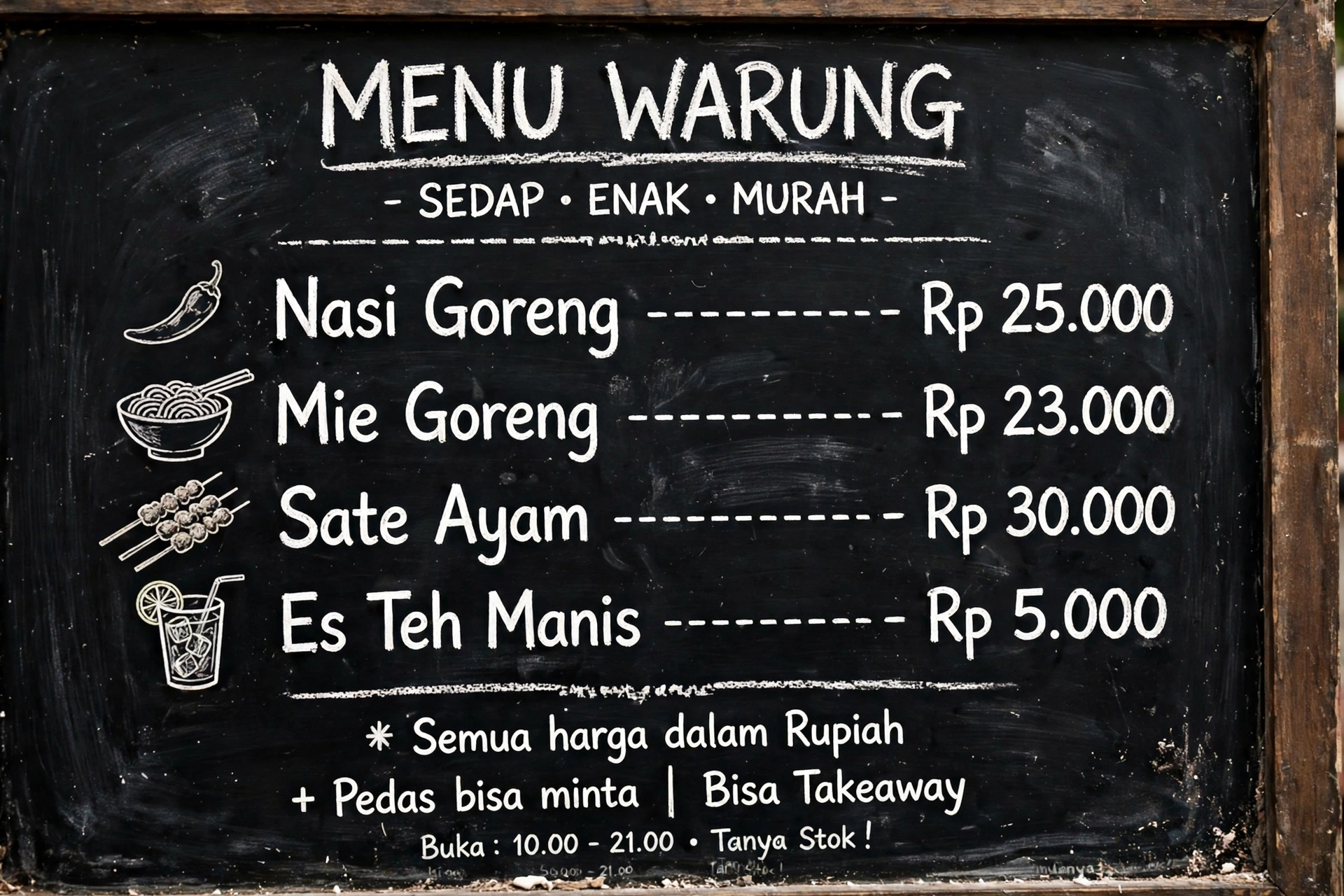
Menus are where Indonesian translation errors have the most entertaining — and occasionally awkward — consequences. Food words are built from the same roots with different affixes, and a missed affix changes the dish: “ayam” is chicken, “ayam goreng” is fried chicken, and “nasi ayam” is chicken rice — three different things from the same two roots. Order from a mistranslation and you may get the wrong dish entirely, which is harmless at a restaurant but a real problem if you have an allergy.
Common menu words worth recognising before you translate:
- Nasi Goreng — fried rice. Mie Goreng — fried noodles.
- Sate Ayam — chicken satay (skewers). Sate Kambing — goat satay.
- Gado-Gado — mixed vegetables with peanut sauce.
- Rendang — slow-cooked beef in coconut and spices.
- Ayam Goreng — fried chicken. Ikan Bakar — grilled fish.
- Es Teh Manis — sweet iced tea. Es Jeruk — iced orange drink.
- Pedas — spicy. Tidak Pedas — not spicy. Sedikit Pedas — a little spicy.
- Harga — price. Makanan — food. Minuman — drinks.
- Buka — open. Tutup — closed.
Menus also mix Indonesian with prices in rupiah, and the numbers matter: “Rp 25.000” uses a dot as a thousands separator, so it is 25,000 rupiah, not 25 rupiah. A translator that treats the dot as a decimal point will tell you a meal costs almost nothing. Check prices against the photo directly, and read our guide to translating a restaurant menu from a photo for the full traveller’s checklist — photograph the whole menu section by section, and double-check allergens before you order.
Try it on a menu: open the Indonesian to English image translator, upload a photo of the menu, select Indonesian to English, and translate one section at a time rather than the whole page. Section-by-section translation keeps dish names attached to their prices — the most common menu error is a price drifting onto the wrong line.
Social Media and Screenshots: Slang, Shortcuts and Abbreviations
Not all Indonesian photo translation happens on the street. Screenshots of chat messages, social media posts and captions are a daily case — a friend sends a message in Indonesian, or a post you want to read is a screenshot rather than selectable text. Screenshots are actually easier than photos in one way: the text is crisp, flat and evenly lit, so the letters are clear. The problems are different: small text on a phone screen, text over coloured chat bubbles, and slang or abbreviations that no dictionary covers.
Everyday Indonesian online is full of shortened forms. “Gak” or “nggak” means no or not; “banget” means very; “udah” means already; “aja” means just or only; “kamu” is you and “aku” is I. Jakarta slang uses “gue” for I and “lo” for you. Written abbreviations are everywhere: “yg” for “yang” (which/that), “dgn” for “dengan” (with), “utk” for “untuk” (for), “blm” for “belum” (not yet), “jgn” for “jangan” (don’t). Laughter is typed as “wkwk”. A translator will either guess at these or skip them, and a skipped “nggak” can flip a sentence from yes to no — the one word that matters most is the one most likely to vanish.
For chat screenshots, crop tightly to the message you want, so the tool reads one bubble at a time — a full-screen screenshot with ten messages often returns them in the wrong order, because the reader cannot tell which bubble came first. And be ready for mixed language: Indonesian social media constantly mixes in English words (“meeting”, “deadline”, “check-in”), and a translator that tries to translate the English words back into Indonesian will produce nonsense. If a message contains an abbreviation, translate the rest of the sentence first — the meaning is usually clear from context — and ask the sender if the one word that matters is still unclear.
A Step-by-Step Method for Indonesian Photos
Put the fixes in this guide together and a reliable routine emerges:
- Photograph it well. Get close, shoot straight on, avoid glare and shade the text from direct sun. Indonesian letters are easy to read, but small affixes at the start or end of a word are the first thing a reader drops.
- Translate whole phrases, not single words. Affixes and compounds only make sense in context — “rumah sakit” is a hospital, not a sick house, and “makanan” is food, not eating.
- Read the Indonesian the tool detected, not just the English. Compare the detected text against the photo, especially the prefixes (me-, di-, ber-) and suffixes (-kan, -an) on the main word of a sign or dish name.
- Re-crop and retry the words that fail. One line at a time, larger and sharper, fixes most persistent errors — especially on menus, where a price can drift onto the wrong line.
- Sanity-check the English against the situation. A sign on a one-way street, a dish on a menu, a price in rupiah — if the English does not fit where you are standing, an affix or a compound is probably the culprit.
- Verify anything that matters. Allergens, prices, directions, safety warnings and official text deserve a second check — from a speaker, or from a second translation of a clean re-photograph.
Frequently Asked Questions
Can I translate Indonesian text in images to English for free?
Yes. Upload your photo to a free image translator, select Indonesian as the source language and English as the target, and the translation runs in your browser. On this site, open the homepage tool, choose Indonesian to English, and upload your image — no account is needed.
Why does my Indonesian translation get dish names wrong?
Indonesian builds food words from roots plus affixes, and compounds like “rumah makan” (restaurant) translate literally if the tool reads word by word. Translate the whole phrase, and check the affix on the main word — “makan” (to eat) and “makanan” (food) are different words.
What does “Dilarang Parkir” mean?
It means “no parking”. “Dilarang” means forbidden or prohibited, and “parkir” is parking. You will see “dilarang” on almost every prohibition sign in Indonesia — “dilarang masuk” (do not enter), “dilarang merokok” (no smoking).
Can an image translator read Indonesian slang in screenshots?
Partly. Printed and formal Indonesian translate well, but chat slang (“gak”, “banget”, “udah”) and abbreviations (“yg”, “dgn”, “blm”) are often skipped or guessed. Crop to one message at a time, translate the full sentence for context, and ask the sender about any word that still does not make sense.
Is there an Indonesian to English image translator for menus?
Yes — any image translator that supports Indonesian can translate a menu photo, but menus work best translated section by section, so dish names stay attached to their prices. Watch out for prices in rupiah, where “Rp 25.000” means 25,000 rupiah, not 25.
Do I need a separate Indonesian translator app?
Not for occasional use. A browser-based image translator handles photos, menus, signs and screenshots without installing anything, and because this site processes images in your browser, your photo is never uploaded to a server. For heavy daily use or offline translation, a dedicated app may be more convenient — but for a menu or a street sign, the browser tool is enough.
Indonesian is one of the most forgiving languages to translate from photos, precisely because its alphabet is familiar and its spelling is phonetic. The letters will rarely let you down. Learn to check the affixes, translate whole phrases, and verify anything that matters — and the same phone that read your first street sign will read the next one correctly.
