

How to Translate Social Media Posts in Images to English: Captions, Comments and Stories Explained
A friend sends you a screenshot of an Instagram story in Spanish. A Facebook post your cousin shared is a photo of text, not text you can copy. A meme in a group chat is funny to everyone except you, because the joke is written across the image in a language you don’t read. You screenshot it, open a translator — and get back half the words, in the wrong order, with the punchline missing. The image is sharp and the text is clear. So why do social media posts defeat image translators more than most photos?
The answer is that a social media post is several kinds of text crammed into one small image: a caption over a photo, comments in tiny type, stickers and hashtags, slang that no dictionary covers, and sometimes three languages at once. A translator built for a clean document page will read the big words and skip the rest — and on social media, the rest is often the point. This guide explains how social media text works in images, the mistakes it causes in translation, and how to translate social media posts in images to English reliably — from captions and comments to stories and memes.
Try it now: our free image translator reads the text in your screenshot and translates it to English in seconds, right in your browser. Open the homepage, upload the screenshot, select the language the post is written in and English as the target, and check the result against the fixes below. (Social media posts come in every language, so there is no single pre-selected pair — pick the language of the post you are reading.)
Why Social Media Posts Are Harder Than They Look
A social media screenshot is not one text — it is a stack of texts. The caption sits over a photo, the username and timestamp sit above it, the comments run underneath in smaller type, and stickers, polls and hashtags are scattered through the frame. A photo translator reads text line by line, top to bottom, and a screenshot gives it no clean order to follow. The caption may come out after the comments, a reply may be attached to the wrong comment, and a hashtag may be read as part of the sentence it follows.
The second problem is size. Post text on a phone screen is small, and a screenshot of a full feed shows ten posts at once, each in type a few millimetres tall. OCR needs clear, reasonably large letters; at screenshot scale, the letters blur together, and the letters it drops are usually the small ones — the ones that change the meaning, like “not” or a name. The third problem is the background: text printed over a busy photo, white letters on a bright sky, a caption in a coloured box, a story with a gradient behind it. Any of these cuts accuracy sharply compared with black text on a white page.
Then there is the language itself. Social media writing is the least formal writing there is: slang, abbreviations, deliberate misspellings, mixed languages, emojis doing the work of words, and jokes that depend on knowing the reference. A translator will translate the words correctly and still miss the meaning, because the meaning lives in the slang and the context, not the dictionary. Our guide to translating Indonesian text in images covers the same slang problem — “nggak” (no) vanishing from a chat message flips a sentence from yes to no — and social media has the same trap in every language.
Captions and Stories: Screenshot Before They Vanish
Stories are the hardest social media text to translate, for a simple reason: they disappear. An Instagram or Facebook story lasts 24 hours, a TikTok or Snapchat post may be gone sooner, and the text on a story is often placed over a moving video or a busy photo, in a stylised font, for a few seconds. If you want to translate it, screenshot it first — then translate the screenshot, not the live story.
When you screenshot a story, capture the frame where the text is clearest. Stories often animate text in and out, so take two or three screenshots and pick the sharpest. Then crop tightly to the text you want: a full-screen story screenshot includes the username bar, the reply box, the progress bars and the “send message” field, and the translator will try to read all of it, including the interface words. Crop to the caption or the message itself, and the result improves immediately. If the story is a video, pause it on the clearest frame before you screenshot — a paused frame is sharper than a frame grabbed mid-motion.
Captions on ordinary posts are easier, because they sit still. The trap is that captions are often long, and people photograph or screenshot only part of them. A caption cut off mid-sentence translates as nonsense, not as half a sentence — so capture the whole caption, scrolling and screenshotting in sections if it runs long, and translate one section at a time. For the general screenshot method, see our guide to translating text in a screenshot to English — the same rules apply: crop tight, keep the text large, and translate one block at a time.
Comments and Threads: Small Text, Wrong Order
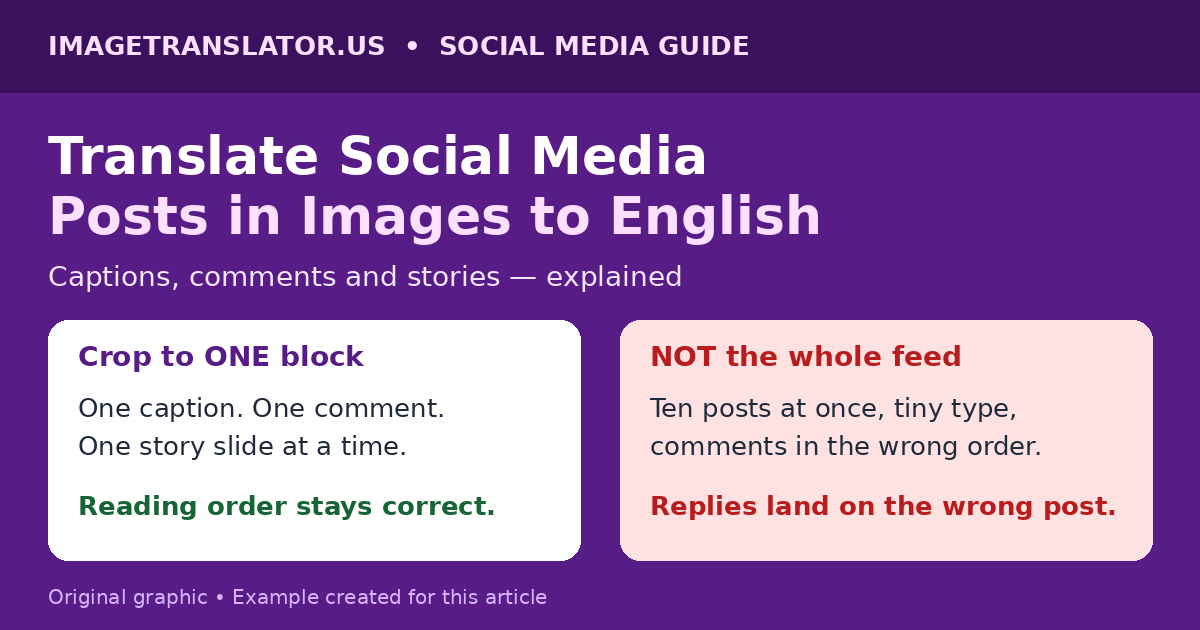
Comments are where social media translation fails most often, because comments are small, nested and full of slang. A thread shows a comment, a reply indented beneath it, a reply to the reply, and a “view more replies” link — and a photo translator reading top to bottom will flatten that nesting into one paragraph, attaching replies to the wrong comments. The result reads like one person arguing with themselves.
The fix is to crop to one comment at a time. Tap the comment to open it on its own screen if the app allows it, then screenshot just that comment and its direct replies — not the whole thread. One comment, one translation, and the order problem disappears. If a comment is a reply to something, translate the parent comment first, so you know what the reply is answering.
Comments are also where slang and abbreviations live. Every language has them: shortened words, initials, laughter typed as letters (“jajaja” in Spanish, “kkk” in Portuguese, “wkwk” in Indonesian), and words that mean something different online than they do in a dictionary. A translator will either guess at these or skip them — and a skipped “not” flips a sentence. Translate the full sentence for context, and if one word still makes no sense, it is probably slang: search the word with the platform name, or ask the person who posted it. Names, usernames and brand names should stay as they are — if the translator “translates” a person’s name, that is an error, not a translation.
Memes and Image Macros: The Words Are Only Half the Joke
Memes are the hardest social media images to translate, and it is worth knowing why before you try. A meme’s text is usually short — two lines, top and bottom — and a translator will read it accurately. The problem is that the joke is not in the words alone: it is in the picture, the reference, and the shared knowledge of the people passing it around. Translating the words gives you the sentence; it does not give you the joke. “Distracted boyfriend”, “woman yelling at a cat”, a reaction image with one word on it — the humour is the format, and the format does not translate.
That does not make translation useless — it makes it a first step. Translate the text, then ask what the image is reacting to: the picture, the caption, or the combination. If the meme quotes a film, a song, a politician or a viral moment, the reference is the meaning, and a quick search for the phrase will usually explain it faster than a second translation. Wordplay and puns almost never survive translation — if a meme’s text reads as nonsense in English, it may be a pun in the original language, not a translation error. And be careful with memes that carry a political or insulting message: a translation that looks harmless may be hiding a slur or an insult in the original, so check before you share it on.
A Step-by-Step Method for Social Media Screenshots
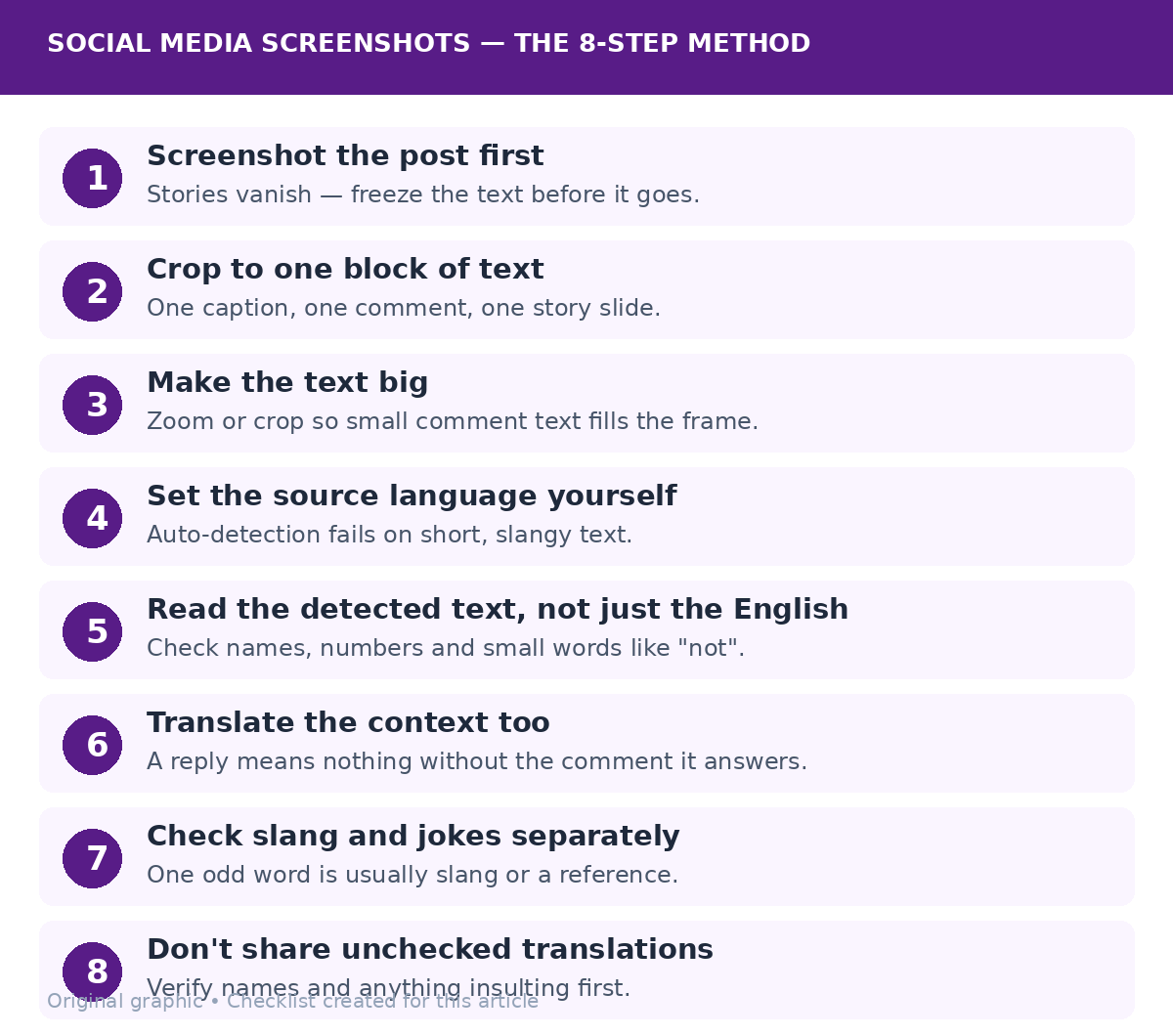
Put the fixes in this guide together and a reliable routine emerges:
- Screenshot the post first. Stories vanish, feeds refresh, and a screenshot freezes the text. For video stories, pause on the clearest frame before you screenshot.
- Crop to one block of text. One caption, one comment, one story slide. A full-screen screenshot with ten posts forces the translator to guess the reading order — and it will guess wrong.
- Make the text big. Zoom the screenshot before you upload it, or crop so the text fills the frame. Small comment text is the most common cause of dropped words.
- Set the source language yourself. Auto-detection struggles with short, slangy text. If you know the language of the post, select it — the result improves immediately.
- Read the detected text, not just the English. Compare what the tool read against the screenshot, especially names, numbers and the small words (“not”, “no”, “never”) that flip a meaning.
- Translate the context, not just the line. A reply means nothing without the comment it answers; a meme means nothing without the picture. Translate the parent comment first, and look at the image the text sits on.
- Check slang and jokes separately. If one word makes no sense, it is probably slang or a reference — search it, or ask the person who posted it, rather than trusting the guess.
- Don’t share a translation you haven’t checked. A mistranslated comment shared as if it were accurate can embarrass the person who wrote it — and you. Verify names, numbers and anything insulting before you pass it on.
Frequently Asked Questions
Can I translate an Instagram story screenshot to English for free?
Yes. Screenshot the story, upload the screenshot to a free image translator, select the language the story is written in and English as the target. On this site, open the homepage tool, choose the source language, and upload the screenshot — no account is needed.
Why does my social media translation come out in the wrong order?
Because a screenshot contains several blocks of text — caption, comments, usernames, interface words — and the translator reads them top to bottom. Crop to one block of text at a time (one caption, one comment) and the order problem disappears.
Can an image translator read text in a Facebook post photo?
Yes, if the text is clear and large enough. Crop tightly to the text, keep it straight and well lit, and translate one section at a time. Text printed over a busy photo is harder — if the result is garbled, try a tighter crop on the text alone.
Why does the translator skip words in comments?
Usually because the text is too small, or the word is slang or an abbreviation the translator does not recognise. Zoom or crop so the comment fills the frame, translate the full sentence for context, and check any word that still makes no sense — it is probably slang.
Can I translate a meme to English?
You can translate the words on it, but the joke often depends on the picture and a shared reference, which does not translate. Translate the text first, then look up the reference — the format or the phrase it quotes is usually the meaning.
Is it okay to translate someone else’s post?
Translating a post to understand it is fine. Sharing the translation publicly is different — especially if the post is private, personal or embarrassing. Keep translations of other people’s posts to yourself unless you have their permission to share, and never repost a private message thread.
Social media text is messy by design — small, slangy, layered over photos and gone in a day. Screenshot it, crop it to one block, set the language yourself and check the small words. Do that, and the post your friend found funny will be funny to you too — or at least, you’ll know exactly what it says.
