

How to Translate Vietnamese Text in Images to English: Tones, Diacritics and Street Signs Explained
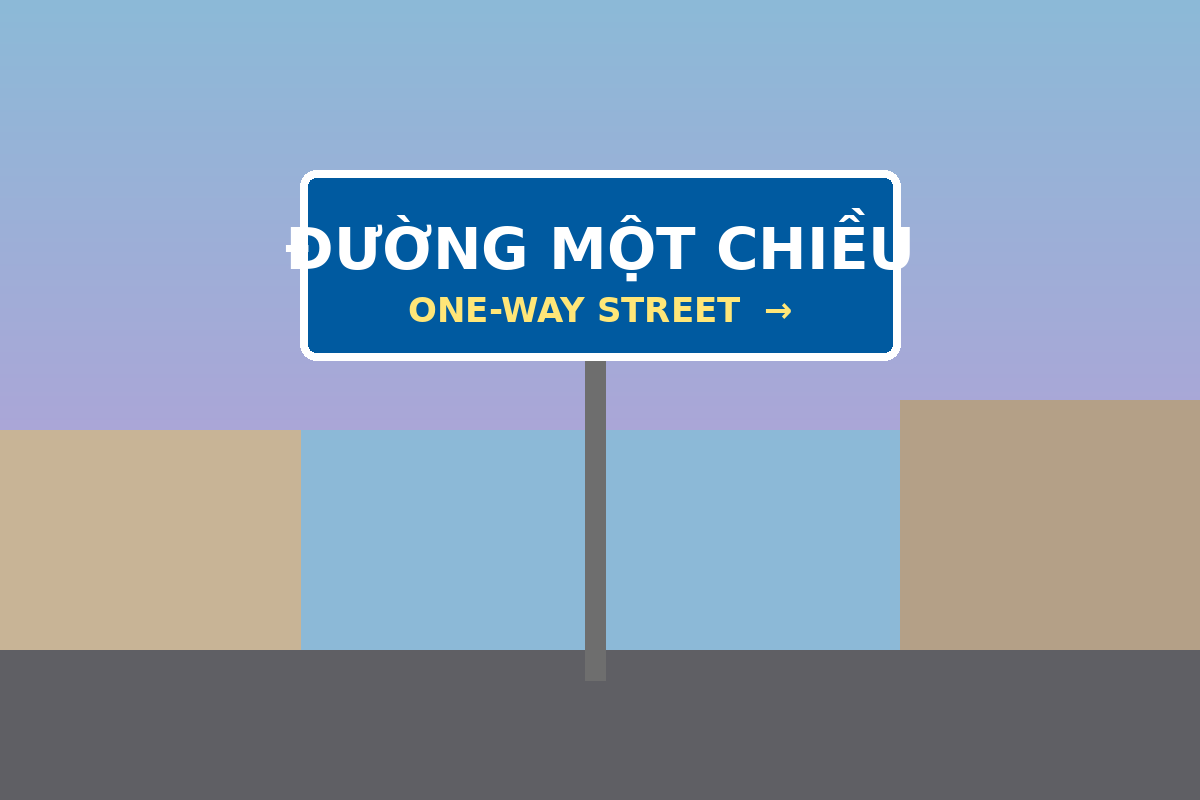
You are standing on a street in Hanoi, looking at a sign that says “ĐƯỜNG MỘT CHIỀU”, or you are holding a menu in Ho Chi Minh City and trying to work out whether “Phở Bò” is beef or chicken. You point your phone at it, and the English that comes back is close — but not quite right. A word is missing its accent, a dish name turns into something you would never order, or a street sign reads as nonsense. The photo is sharp and the text is clear. So why does Vietnamese trip up image translators more than most languages?
The answer is in the marks above and below the letters. Vietnamese is written in the Latin alphabet, so it looks familiar — but nearly every word carries tone marks and diacritics that change its meaning completely. Drop one small mark and a word becomes a different word. This guide explains how tones and diacritics work, the mistakes they cause in photo translation, and how to translate Vietnamese text in images to English reliably — from street signs and menus to shop boards and screenshots.
Try it now: our free Vietnamese to English image translator reads the text in your photo and translates it to English in seconds, right in your browser. Open the homepage, upload your photo, select Vietnamese as the source language and English as the target, and check the result against the fixes below. (There is no separate pre-selected Vietnamese tool page on this site — the homepage tool handles the pair.)
Why Vietnamese Looks Easy and Reads Hard
Vietnamese uses the same 26 letters as English, plus seven extra letters (ă, â, đ, ê, ô, ơ, ư) and a set of tone marks that sit above or below vowels. That familiarity is a trap: a translator that handles French or Spanish well can still fail on Vietnamese, because in those languages an accent usually refines a word, while in Vietnamese a tone mark is the word.
Vietnamese has six tones. The same syllable “ma” can mean ghost, mother, tomb, horse, rice seedling, or cheek, depending on its tone mark: ma, má, mà, mả, mã, mạ. A photo translator that drops the tone mark does not make a small spelling mistake — it hands the translation engine a different word, and the engine translates that wrong word confidently. This is the single most important thing to understand about Vietnamese image translation: the marks are the meaning.
The second trap is spacing. Vietnamese writes each syllable as a separate unit, so a two-syllable word like “xe máy” (motorbike) looks like two words with a space between them. A translator that treats every space as a word boundary can split words apart and translate each syllable on its own, producing English that reads like a word salad. Our guide to translating Thai text in images to English covers the opposite problem — Thai has no spaces at all — but the fix is the same: translate whole lines, not single words.
Tone Marks: The Six Tones and What They Do to a Translation
Every Vietnamese syllable carries one of six tones, shown by a mark (or its absence) on the main vowel:
- No mark (ngang) — flat, level tone. Example: “ma” (ghost).
- Acute accent (sắc) — rising tone. Example: “má” (mother, cheek).
- Grave accent (huyền) — falling tone. Example: “mà” (but, that).
- Hook above (hỏi) — dipping tone. Example: “mả” (tomb).
- Tilde (ngã) — rising with a break. Example: “mã” (horse, code).
- Dot below (nặng) — short, heavy tone. Example: “mạ” (rice seedling).
In a photo, these marks are tiny — a dot below a vowel can be a single pixel wide at normal phone distance, and a hook above can vanish in glare. When the reader misses a mark, the most common result is not a blank but a wrong word that still looks plausible. “Bán” (to sell) without its accent becomes “ban” (to ban, or a board) — so a shop sign reading “BÁN CƠM” (selling rice meals) can come back as something about banning. The translation looks confident and is wrong, which is worse than an obvious failure.
How to fix it: photograph Vietnamese text closer than you think you need to, so the tone marks are clearly visible in the image, and check the detected text — not just the English — before trusting the translation. If the tool shows you the Vietnamese it read, compare the marks against the photo: a missing accent on the main word of a sign is the first thing to look for. If a word keeps coming back wrong, crop to that word alone and translate it by itself, larger and sharper.
Diacritics: The Letters That English Keyboards Do Not Have
Beyond tones, Vietnamese adds marks that change the letter itself. The letter “đ” (d with a bar) is a different letter from “d” — “đi” means “to go”, while “di” is part of words like “di chuyển” (to move) and is read differently. The vowels â, ê and ô carry a circumflex, ă carries a breve, and ơ and ư carry a horn. Each combination produces a distinct sound and a distinct word.
These marks cause two specific failures in photo translation. First, the reader can drop the mark and return a plain letter, turning “đường” (road/street) into “duong” — which is not a Vietnamese word at all, so the translation engine guesses. Second, the reader can confuse similar marks: “ơ” and “ô” are one small stroke apart, and “ă” and “â” differ only in the shape of the mark above them. On a weathered street sign or a faded menu, that stroke is exactly what wears away first.
The practical rule is simple: if the English result contains a word you cannot match to any word on the sign, the diacritic probably went missing. Check the three letters that fail most often — đ, ơ and ư — against the photo, and re-photograph the sign straight on, in shade rather than direct sun, so the marks are not washed out. Our troubleshooting guide to why your image translation came out wrong covers the photo fixes — glare, blur and angle — that matter most for small marks.
Street Signs: Short Text, High Stakes
Vietnamese street signs are short — usually two to four words — which makes them both easy and dangerous to translate. Easy, because there is little text to misread; dangerous, because a single wrong word changes an instruction. The signs travellers meet most often are worth knowing in advance:
- ĐƯỜNG MỘT CHIỀU — one-way street.
- CẤM ĐỖ XE — no parking.
- CẤM RẼ TRÁI / CẤM RẼ PHẢI — no left turn / no right turn.
- ĐI CHẬM — slow down / go slowly.
- NGUY HIỂM — danger.
- ĐƯỜNG CẤM — road closed / no entry.
The danger with signs is that they are often photographed from a moving motorbike or a pavement at an angle, with the text foreshortened. A tone mark on a word photographed at 45 degrees is far more likely to be misread than the same mark photographed straight on. Stop, stand in front of the sign, and take the photo squarely — it takes five seconds and removes the most common cause of sign-translation errors.
Also remember that a translated sign is a hint, not a legal reading. If a sign controls where you can drive or park, and the translation is uncertain, treat the safer reading as correct: if it might say “no parking”, do not park there. For safety-critical text of any kind, see our guide to reading medicine labels, warning signs and official forms in another language — the same “verify before you act” rule applies.
Menus and Food: Where Tones Change What You Eat
Menus are where Vietnamese tone errors have the most entertaining — and occasionally awkward — consequences. Food words differ by a single tone mark: “cá” is fish, “cà” is eggplant, “cà phê” is coffee and “cá” in “cá kho” is braised fish. Order from a mistranslation and you may get the wrong dish entirely, which is harmless at a restaurant but a real problem if you have an allergy.
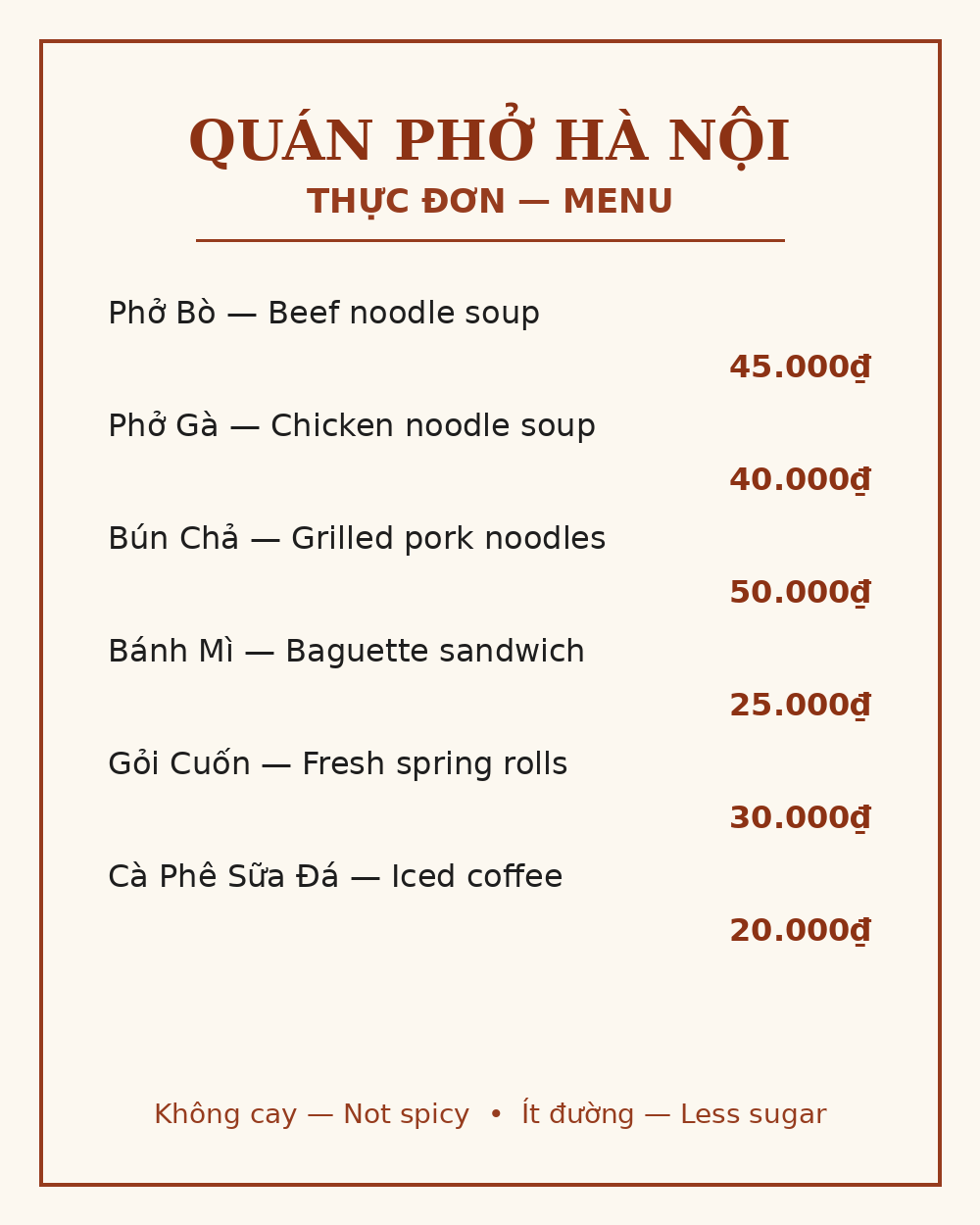
Common menu words worth recognising before you translate:
- Phở Bò / Phở Gà — beef noodle soup / chicken noodle soup.
- Bánh Mì — the Vietnamese baguette sandwich.
- Cơm Gà / Cơm Tấm — chicken rice / broken rice.
- Bún Chả — grilled pork with vermicelli noodles.
- Gỏi Cuốn — fresh spring rolls.
- Chả Giò — fried spring rolls.
- Không Cay / Ít Cay — not spicy / less spicy.
- Không Đường — no sugar (useful for drinks).
Menus also mix Vietnamese with prices in đồng, and the numbers matter: “45.000₫” uses a dot as a thousands separator, so it is 45,000 đồng, not 45 đồng. A translator that treats the dot as a decimal point will tell you a meal costs almost nothing. Check prices against the photo directly, and read our guide to translating a restaurant menu from a photo for the full traveller’s checklist — photograph the whole menu section by section, and double-check allergens before you order.
Try it on a menu: open the Vietnamese to English image translator, upload a photo of the menu, select Vietnamese to English, and translate one section at a time rather than the whole page. Section-by-section translation keeps dish names attached to their prices — the most common menu error is a price drifting onto the wrong line.
Screenshots and Chat Messages: The Everyday Case
Not all Vietnamese photo translation happens on the street. Screenshots of chat messages, social media posts and captions are a daily case — a friend sends a message in Vietnamese, or a post you want to read is a screenshot rather than selectable text. Screenshots are actually easier than photos in one way: the text is crisp, flat and evenly lit, so the tone marks are clear. The problems are different: small text on a phone screen, text over coloured chat bubbles, and slang or abbreviations that no dictionary covers.
For chat screenshots, crop tightly to the message you want, so the tool reads one bubble at a time — a full-screen screenshot with ten messages often returns them in the wrong order, because the reader cannot tell which bubble came first. And be ready for abbreviations: Vietnamese texting shortens words freely (“k” for “không”, “hok” for “không”, “dc” for “được”), and a translator will either guess or skip these. If a message contains an abbreviation, translate the rest of the sentence first — the meaning is usually clear from context — and ask the sender if the one word that matters is still unclear.
A Step-by-Step Method for Vietnamese Photos
Put the fixes in this guide together and a reliable routine emerges:
- Photograph it well. Get close, shoot straight on, avoid glare and shade the text from direct sun. Tone marks are the smallest detail in the image and the first to disappear.
- Translate the whole line, not one word. Vietnamese words are built from syllables with spaces between them; single-word translation splits them and loses the meaning.
- Read the Vietnamese the tool detected, not just the English. Compare the tone marks and the letters đ, ơ and ư against the photo. A wrong mark means a wrong word.
- Re-crop and retry the words that fail. One line at a time, larger and sharper, fixes most persistent errors.
- Sanity-check the English against the situation. A sign on a one-way street, a dish on a menu, a price in đồng — if the English does not fit where you are standing, the tone mark is probably the culprit.
- Verify anything that matters. Allergens, prices, directions, safety warnings and official text deserve a second check — from a speaker, or from a second translation of a clean re-photograph.
Frequently Asked Questions
Can I translate Vietnamese text in images to English for free?
Yes. Upload your photo to a free image translator, select Vietnamese as the source language and English as the target, and the translation runs in your browser. On this site, open the homepage tool, choose Vietnamese to English, and upload your image — no account is needed.
Why does my Vietnamese translation miss the tone marks?
Tone marks are tiny, and photo readers lose small details first — especially in glare, at an angle, or from a distance. Photograph the text closer and straighter, and check the detected Vietnamese text against the photo before trusting the English.
What does “Đường một chiều” mean?
It means “one-way street”. “Đường” is road or street, “một” is one, and “chiều” is direction. If your translator drops the tone marks, it may return a garbled version of the same phrase — the meaning is still recoverable from the context of a street sign with an arrow.
Can an image translator read handwritten Vietnamese?
Printed Vietnamese translates far better than handwritten Vietnamese, because handwriting often omits or merges tone marks. For handwritten notes, translate one short line at a time and keep the crop tight — and expect to ask a speaker to confirm anything important.
Is there a Vietnamese to English image translator for menus?
Yes — any image translator that supports Vietnamese can translate a menu photo, but menus work best translated section by section, so dish names stay attached to their prices. Watch out for prices in đồng, where “45.000₫” means 45,000 đồng, not 45.
Do I need a separate Vietnamese translator app?
Not for occasional use. A browser-based image translator handles photos, menus, signs and screenshots without installing anything, and because this site processes images in your browser, your photo is never uploaded to a server. For heavy daily use or offline translation, a dedicated app may be more convenient — but for a menu or a street sign, the browser tool is enough.
Vietnamese is one of the most rewarding languages to translate from photos, precisely because it looks deceptively easy. The Latin letters invite confidence; the tone marks punish it. Learn to check the marks, translate whole lines, and verify anything that matters — and the same phone that misread your first street sign will read the next one correctly.
